
Image Resizer
Make your image size as per your required
Key Features
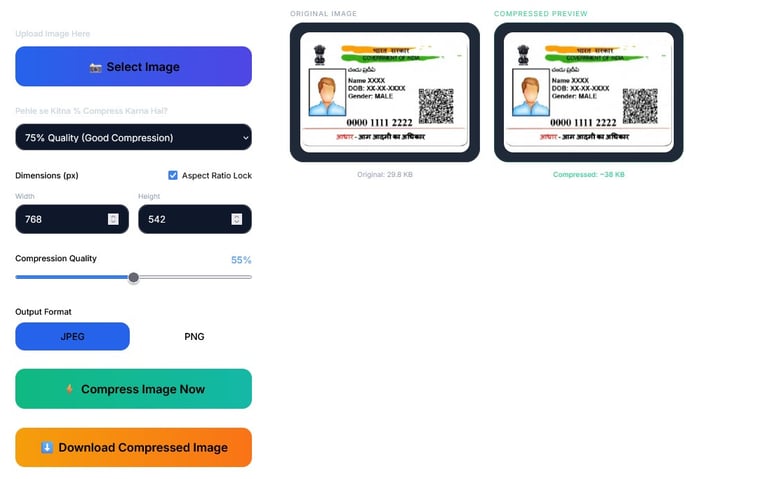
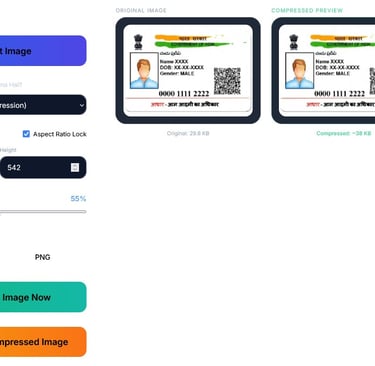
Real-time side-by-side preview (Original vs Compressed)
Custom width and height control
Aspect ratio lock (to keep image proportions correct)
Quality slider (10% to 100% compression)
Pre-set compression options (85%, 75%, 65%, 50%)
Support for JPEG and PNG formats
Live file size comparison
Fast, one-click download
100% Client-side processing (Your images never leave your device)
How to Use This Tool
Upload Your Image Click on "Select Image" and choose your photo (JPG, PNG, or WebP).
Set Dimensions Enter the desired Width and Height in pixels. Keep "Aspect Ratio Lock" enabled to automatically maintain the original proportions.
Choose Compression Level
Use the dropdown to quickly select pre-set quality (Recommended: 85%).
Or manually adjust using the Compression Quality slider.
Select Output Format Choose JPEG for smaller file size or PNG for transparent backgrounds.
Compress the Image Click the "⚡ Compress Image Now" button to process your image.
Download the Result Once compression is done, click "⬇️ Download Compressed Image" to save the optimized file to your device.
Best Tips
For Websites: Use width between 800–1200 px with 75–85% quality.
For Social Media: 1080 px width with 70–80% quality works best.
For Printing: Keep higher quality (90%+) and larger dimensions.
Want smaller file size? Try 65% or 50% quality.
Privacy & Security: This tool works completely in your browser. No images are uploaded to any server. Your data stays 100% private and secure.
Help
Need assistance? Reach out anytime.
support@jobsakha.com
© 2026 Jobsakha.com All rights reserved.